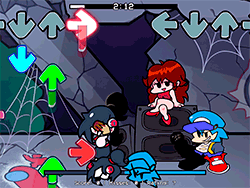
What is Funkin’ 64?
This is a thrillingly strange and unique mod for the celebrated rhythm game Friday Night Funkin’ (FNF). Here, the beloved Boyfriend is thrown into a Nintendo 64 console for some inexplicable reason where he must now engage in rap battles against Mario and Bowser. Retro gaming nostalgia meets FNF gameplay to provide an experience that is both new and familiar. There are brightly colored 3D models, great tunes, and a storyline that is compelling enough to keep you glued to your seat.
How To Play
Simply put, if you already know how to play FNF, then you know how to play Funkin’ 64. While the note-based actions may require you to press your spacebar to hit the notes, the rhythm remains the cue for you to defeat your opponent. New characters and stages are in the mod, but keeping the FNF style is also in mind with a joyful twist to the Nintendo 64 theme. Move left and right with your arrow keys to match the notes, and keep a watchful eye on the health bar so as not to be hit too many times.
Tips & Tricks
- Practice Makes Perfect: As with most rhythm games, the more you practice, the better you will get. Start with the easy tracks, then proceed to those that provide a challenge.
- Turn Off Ghost Tapping: Turn it off if you want it harder. It’s going to be a really tough but gratifying challenge.
- Use Google Chrome: Google Chrome browser is highly recommended while playing Funkin’ 64, as it offers smooth gameplay and fantastic experience.
History
Funkin’ 64 was forged by a community of talented modders, acting out their passion for gaming and creativity. Four key community contributors are noted in the mod credits:
- the white ninja for coding and the 3D models,
- hNation for composing the "Mario 64" piece of music, which sets the mod's mood,
- Cally Cobble for charting the song and ensuring the rhythm of the gameplay was interpreted correctly by players.
The modders would like to thank everyone who contributed to the mod on GitHub, appreciating the collaborative big effort that goes into making such a magnificent mod.
Playing Unblocked
If you're looking to play Funkin' 64 without limitations, the web-optimized version by KBHGAMES.com would be right up your alley. This port is designed for players that are unable to run EXE files on their computers. But take note that this web port might have mechanics that are slightly different from the PC version or might lack some features.
Game Developer
The original Friday Night Funkin’ is the creation of:
- Programming by ninja_muffin99
- Artists by PhantomArcade3k and evilsk8r
- Music by kawaisprite
The creation of the mod was a collaborative effort by the afore-stated modders plus the rest of the FNF community.
Game Platforms
Funkin’ 64 is mainly a PC mod, but the web-optimized one from KBHGAMES.com allows players on Chromebooks, Macs, Linux, as well as PCs to partake in this mod, opened up to a larger audience.
How to Play Unblocked
For unblocked Funkin’ 64, just head on to the KBHGAMES.com web-optimized version. This version has been built and tested to work with most browsers so that you can enjoy the game stress-free. Just remember to use Google Chrome for the best performance.
FAQ
Q: Can I play Funkin’ 64 on my phone?
A: The mod is mainly designed for PC and web browsers, but you might be able to find mobile versions or something similar.
Q: Is web version the same as PC version?
A: The web version is optimized for accessibility and might bear slight differences or have a few missing mechanics that the PC version has. So, if you can, try both.
Q: How do I support the mod creators?
A: The mod creators want you to follow them on social media for updates and to check out their other projects. You can also support them by liking their page or sharing the mod with your friends.
Play Funkin’ 64 on your Mobile

Span the QR Code with your mobile device camera to play Funkin’ 64
You can enjoy this game on mobile and tablet(such as iPhone, IPad, and Android device)
 FNFunKin












![FNF vs Hex Mod [Full Week] Play FNF vs Hex Mod [Full Week] Now](https://img.crazygames-poki.com/423af2bb94865d99a1fb716e96f9ec21.jpeg)