FNF Hatsune Miku – Project Funkin’.
What is FNF Hatsune Miku – Project Funkin’?
The vibrant and engaging mod of the famous Friday Night Funkin’FNF series features the famous Japanese singer and virtual idol, Hatsune Miku. With two new songs created in the mod, one can sing along and enjoy watching the electrifying performance on stage. A must-play for any fan of Miku and the FNF community for a fresh and exciting take on the classic rhythm game experience.
How to Play
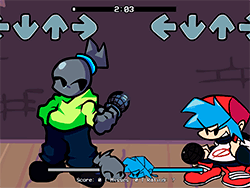
FNF Hatsune Miku - Project Funkin is played with nearly the same mechanics as the original FNF. With Miku performing, keep your eyes on the notes and try to hit everything with the mouse or keyboard input on time. Hitting all notes scores highly and impresses the audience. It is easy to understand and intuitive to navigate, making a suitable choice for both beginners and the experienced.
Tips & Tricks
- Stay on Beat: Look out for those notes dropping down your screen and pressing the right keys on time. Timing is everything!
- Practice Makes Perfect: Don't hesitate to replay songs you're struggling with. Practicing will help in improving your rhythm and accuracy.
- Best Controls for Best Performance: Be sure that you're comfortable with whatever control scheme you've chosen. Whether you select keyboard or mouse, the faster you can work with one control set, the better your gameplay will be.
History
FNF Hatsune Miku – Project Funkin’ is part of the larger Project Funkin’ mod, which has been a community-driven effort to make new content for the FNF series. The mod stands as a testament to the creativity and passion of the FNF community, who, through artists, composers, and coders, wish to see the game grow. Increasing accessibility and making the game more enjoyable for the larger public has always been a goal.
Play Unblocked
If you're having difficulties running the game on your device, there is a web-optimized version that can be launched in the browser. This version has been made to work with most devices, including Chromebooks, Macs, and Linux systems so that everyone has an easy way of enjoying.
Game Developer
The original FNF was developed by ninja_muffin99, PhantomArcade3k, and evilsk8r with music contributions from kawaisprite; yet, FNF Hatsune Miku–Project Funkin' is a community effort. EsoMarx is the mod's owner and lead artist, with many other contributors, including KoiM4, Blueby87, Klade, Valengarfy, and Paipp.
Game Platforms
The original FNF is mostly just an executable, though having a web version extends its reach across platforms.
- Windows
- macOS
- Linux
- Chromebooks
- Web
How to Play Unblocked
To play FNF Hatsune Miku–Project Funkin' unblocked, download the web-optimized version from platform like KBHGAMES.com. This one is active so as to bypass most of the restrictions that might not let you run the game on your computer. Just choose your browser, go to the page of the game, and start playing!
FAQ
Q: Is FNF Hatsune Miku – Project Funkin’ free to play?
A: Yes, you can play it all for free. All the songs and features are free for your enjoyment.
Q: Can I play this on my Chromebook?
A: Yes! The web version actually works best for Chromebook and other devices that may struggle with the original executable file.
Q: Are there any differences between the web version and the PC version?
A: Yes, there might be some small differences or even a mechanic or two missing in the web version as compared to the PC version. If you have PC, it would be advisable for you to also take a look at the original FNF version for that complete experience.
Q: Who are the artists and developers?
A: The mod is credited to EsoMarx (Artist/Sprite Artist/Charter/Owner), KoiM4 (Charter/Composer), Blueby87 (Composer), Klade (Coder), Valengarfy (Sprite Artist), and Paipp (Artist), among others. The original FNF is credited to ninja_muffin99, PhantomArcade3k, evilsk8r, and kawaisprite.
Play FNF Hatsune Miku – Project Funkin’ on your Mobile

Span the QR Code with your mobile device camera to play FNF Hatsune Miku – Project Funkin’
You can enjoy this game on mobile and tablet(such as iPhone, IPad, and Android device)
 FNFunKin




















![FNF vs Hex Mod [Full Week] Play FNF vs Hex Mod [Full Week] Now](https://img.crazygames-poki.com/423af2bb94865d99a1fb716e96f9ec21.jpeg)