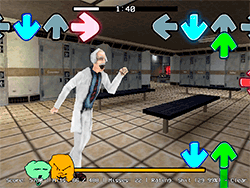
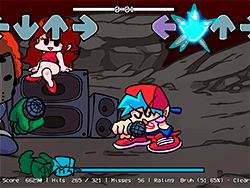
What Is FNF: Boyfriend Sings Freedom Dive?
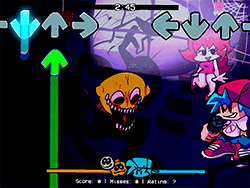
FNF: Boyfriend Sings Freedom Dive is a thrillingly difficult and rhythmically taxing mod of the now-modern series, Friday Night Funkin'. In this special instance, the Boyfriend is sent into the spotlight to sing along with the catchy and super energetic "Freedom Dive" tune. This sets the game apart from regular FNF gameplay, and it blends fighting rhythm game mechanics and that memorable sound. For the seasoned FNF gamer and those newly introduced to the series, this mod will be such a fun and entertaining test of reflex and musicality.
How to Play
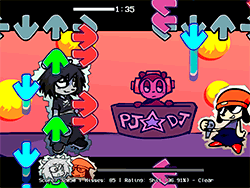
The gameplay of FNF: Boyfriend Sings Freedom Dive is fairly simple: you must have very good skills in meter and timing. You have to tap the buttons that appear on the screen, so they coincide with the music to land the notes and beat your adversary. There are usually various stages that come with different rhythmic challenges. Your goal is to outplay your opponent by hitting more notes correctly on time and maintaining a high combo count. Should the opponent be the Boyfriend, you have to sing to him and outshine his rhythm!
Tips & Tricks
- Practice: Try playing through the stages repeatedly; this will give you better knowledge of the rhythm and timings. That will only make you better.
- Turn off Ghost Tapping: Want to make it tougher for yourself? Go to the settings and turn off Ghost Tapping. This will make the game stop counting your inputs automatically, and your precision will be tested.
- Use Proper Browser: Best use would be through Chrome browser. It keeps the smooth-interaction more alive and stops any possible lagging.
- Stay Alerted: Watch the notes and listen thoroughly to the music while staying focused. This will help you stay on your feet and react promptly.
History
FNF: Boyfriend Sings Freedom Dive is part of the vast and creative modding community keeping the FNF series together. This mod is created by a group of talented developers and artists who really love the original game and want to put their own take on it. The mod credits are:
- Dr. Daynaze: Made the Charts and the Cover Art.
- XI: Composed the "Freedom Dive" Song.
- Shadow Mario: Main programmer of the game engine.
- bbpanzu: Additional programmer.
- RiverOaken: Lead Artist and Animator.
On top of that, the mod credits all contributors on GitHub, as well as give respect to all contributors of the original FNF Team:
- ninja_muffin99: Programming.
- PhantomArcade3k and evilsk8r: Artists.
- kawaisprite: Composer.
Play Unblocked
Courtesy of the players who are possibly running into trouble while trying FNF: Boyfriend Sings Freedom Dive on their device, a web-optimized port is available. Designed for greater accessibility to a wide audience, including those who are unable to execute traditional EXE files on their computer.
Game Developer
The development of FNF: Boyfriend Sings Freedom Dive was a cooperative effort among several talented people. Shadow Mario is the main programmer of the game engine, with additional programming support from bbpanzu. RiverOaken led the art and animation; Dr. Daynaze was responsible for charts and cover art. Then, the composition of the music and bringing to life of the iconic "Freedom Dive" track went to XI. The mod further acknowledges all contributors listed in GitHub for supporting and working for the FNF community.
Game Platforms
At heart, FNF: Boyfriend Sings Freedom Dive is meant to be played on web browsers and catered to being accessible on a variety of devices. The game is explicitly best used with Google Chrome for performing at its prime and giving a near-perfect user experience, although it also gets along with other browsers and operating systems, including Chromebook, Mac, and Linux. This aspect ensures larger reach from players who seek to enjoy the game without any hiccups regarding its compatibility.
How to Play Unblocked
If FNF: Boyfriend Sings Freedom Dive is blocked at your school or work, then maybe try the following steps for a bypass:
- Use a . Using a virtual private network will let you bypass network restrictions and provides you access to the game.
- Request access; if a game is blocked as per school or work policies, then go ahead and ask for an exception from the concerned IT department.
- Check another network; if you can, try launching through your home network or any other alternative network where the game is not blocked.
Remember: Always respect your school or workplace's guidelines and policies for accessing restricted contents.
Frequently Asked Questions
Q: What is the minimum system requirement to play FNF: Boyfriend Sings Freedom Dive?
A: The Web-Optimized version of the game should suit most devices, including Chromebooks, Macs, and Linux machines. However, it is advised you use Google Chrome for optimum performance.
Q: Can I play FNF: Boyfriend Sings Freedom Dive on mobile devices?
A: The game is primarily for the web, though you can attempt to play on your phone through a web browser capable of the required features. That said, it won't be quite as smooth as playing on a computer, though.
Q: Is Ghost Tapping enabled by default?
A: Ghost Tapping is mostly enabled by default on FNF games; you can switch it off in settings for a much harder game.
Q: Where can I find the mod on GitHub?
A: You can find the FNF: Boyfriend Sings Freedom Dive mod on GitHub by searching for the repository or following links from the FNF community forums and social media.
Q: Is there any other FNF mods I should know about?
A: Sure, but the FNF community has given birth to so many creative mods. Notable ones are "FNF: Girlfriend Sings," "FNF: Dad Battle," and "FNF: Ultimate Beat." Make sure to check out the GitHub repository and forums for more mods.
Play FNF: Boyfriend Sings Freedom Dive on your Mobile

Span the QR Code with your mobile device camera to play FNF: Boyfriend Sings Freedom Dive
You can enjoy this game on mobile and tablet(such as iPhone, IPad, and Android device)
 FNFunKin