What is Friday Night Tunin’ (Lanota Mod)?
Friday Night Tunin’ (Lanota Mod) combines the very FNF spirit with the bright world of Lanota, allowing for a soothing yet engaging rhythm experience. You accompany Boyfriend and Girlfriend as they float into Lanota Universe-the perfect place to chill, sightsee, and just enjoy some rad tunes. Lanota is a story-led music game home to iOS and GooglePlay that marries not-so-average rhythm gameplay with neat boss fights and some artistic sightseeing. This mod melds the very best of both experiences in a laid-back but intriguing atmosphere for fans of FNF and rhythm games.
How to Play
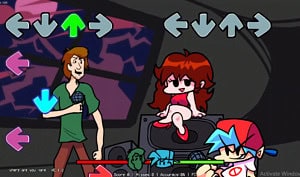
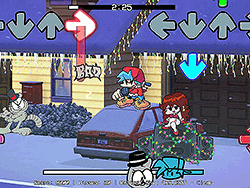
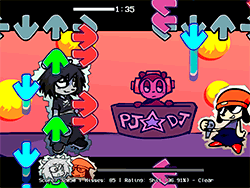
Thursday night tunin` is generally quite similar to any rhythm game if one has played rhythm games before. The game consists of tapping, holding, and flicking notes that fall down the screen to the beat of the music. Players need to hit corresponding keys on their keyboard in time with the note so as to gain the highest score possible. There is an array of songs available, all with different rhythms and levels of difficulty. As players progress, new songs, boss stages, and even the artistic world of Lanota itself await unlocking.
Tips & Tricks
- Practice Makes Perfect: Spend time practicing each song to get the hang of the rhythm and timing.
- Ghost Tapping: If you're new to rhythm games, turning on Ghost Tapping in the settings can help you get a feel for the timing without the pressure of failing.
- Use the Right Browser: For the best performance, recommend using Google Chrome to play the mod.
- Stay Focused: Keep your eyes on the notes and your ears on the music to stay in sync.
- Unlock Everything: Explore all the songs and boss stages to fully experience the mod's content.
History
Friday Night Tunin’ (Lanota Mod) is a community-driven project that brings together the creativity of modders and the original developers of FNF. The mod is a testament to the passion and dedication of the gaming community, who love to create and share new experiences based on their favorite games. The original FNF was created by ninja_muffin99, PhantomArcade3k, evilsk8r, and kawaisprite, and has since become a beloved game with a massive following. This mod extends that legacy by adding a new dimension of relaxation and exploration through the Lanota Universe.
Play Unblocked
While the mod is designed to be played on a variety of platforms, including Chromebooks, Macs, and Linux systems, it's important to note that the web-optimized port by KBHGAMES.com might have slightly different mechanics or missing features compared to the PC version. If you're looking for the full experience, consider downloading the PC version as well.
Game Developer
The original Friday Night Funkin’ was developed by a team of talented individuals, including ninja_muffin99 for programming, PhantomArcade3k and evilsk8r for art, and kawaisprite for music. The Lanota mod itself was created by a dedicated group of modders, with CcinoWrath handling covers, charting, and art, Luquito for playtesting, and JohnnyBoy for additional playtesting.
Game Platforms
Friday Night Tunin’ (Lanota Mod) is available on multiple platforms, making it accessible to a wide range of players. You can enjoy the mod on your PC, Chromebook, Mac, Linux, and even mobile devices through web ports. This accessibility ensures that more players can experience the fun and relaxation the mod offers.
How to Play Unblocked
To play Friday Night Tunin’ (Lanota Mod) unblocked, you can use the web-optimized version provided by KBHGAMES.com. However, keep in mind that this version might have some differences or missing features compared to the PC version. For the best experience, consider downloading the mod for your PC as well. Additionally, using Google Chrome is recommended for optimal performance.
FAQ
Q: Can I play this mod on my mobile device?
A: Yes, you can play the web-optimized version of Friday Night Tunin’ (Lanota Mod) on mobile devices through platforms like Google Chrome.
Q: Is the web version the same as the PC version?
A: The web version is optimized for accessibility and might have slightly different mechanics or missing features compared to the PC version.
Q: How do I unlock new songs?
A: You unlock new songs by progressing through the game and completing challenges or specific conditions.
Q: Can I play this mod offline?
A: The web version requires an internet connection, but you can download the PC version for offline play.
Q: Are there any additional tips for beginners?
A: Yes, turning on Ghost Tapping in the settings can help beginners get a feel for the rhythm and timing before tackling the full challenge.
Play Friday Night Tunin’ (Lanota Mod) on your Mobile

Span the QR Code with your mobile device camera to play Friday Night Tunin’ (Lanota Mod)
You can enjoy this game on mobile and tablet(such as iPhone, IPad, and Android device)
 FNFunKin