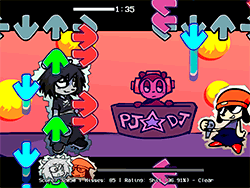
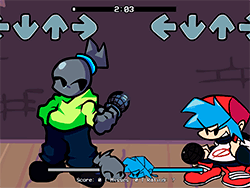
What is FNF: Windows Funkin’ VS Clippy?
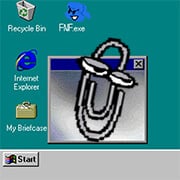
This colorful and funny mod of the most famous rhythm game, Friday Night Funkin', puts the Boyfriend character against the Microsoft Windows assistant avatar Clippy. The entirety of the stage is an old version of Windows, turning FNF gameplay into hilarious rap battles of beat-matching with tech nostalgia. A fun, challenging, and unique installment in the series will delight FNF fans and anyone who secretly harbored feelings for (or against) Clippy.
How to Play
FNF: Windows Funkin’ VS Clippy uses the rhythm game mechanics of the base Friday Night Funkin' game. Hit the arrow keys according to the beats as notes come up and score points. You want to out-rap Clippy by hitting more notes and preserving a combo streak. Keep your eyes on the notes as you time your key presses so you don't miss and break your combo. The game should prove to be pretty intuitive, so even if you are new to rhythm games, it will not take you long to pick it up.
Tips & Tricks
- Ghost Tapping: Turn off Ghost Tapping within the settings if you want to improve while struggling. This will make the game quite hard but will definitely give you a better understanding of your performance.
- Practice Makes Perfect: Just like any other rhythm game, your best ally is practice. Play the same song several times to work on your timing and accuracy.
- The Right Browser: For optimal performance, it's best to use Google Chrome, which will give you a buttery-smooth gameplay experience.
- Focus: Don't take your eyes off the notes and keep your fingers poised to hit the buttons. Maintaining your focus will land you high combos and scores.
History
FNF: Windows Funkin’ VS Clippy is among those FNF mods made in collaboration, sharing their creativity and passion for the game. This certain mod is special because of its unique world crossover of Windows with rhythm-action gameplay from FNF. This mod represents the hard-working FNF community where fans come up with new and innovative ways to enjoy the game.
Play Unblocked
While the idea of FNF: Windows Funkin’ VS Clippy is to be played by all, including users on Chromebooks, Macs, Linux, or any computer that cannot run EXE files, some restrictions may still apply in particular settings. If you find the game blocked at school or work, you will have to use a or else find a way to access it from a different network. Always check with your guidelines and policies as to what is allowed.
Game Developer
The original Friday Night Funkin' was developed by ninja_muffin99, with PhantomArcade3k and evilsk8r handling the art and kawaisprite working on the music. A mod version of FNF: Windows Funkin’ VS Clippy, like many other mods, is an FNF community creation, with credits listed as:
- Bill Gates: Co-Founder of Microsoft
- Badstr: Coder and Artist
- Captain Jamie: Moral Support
- aabsss: Charter
- Penove: Musician
These creators have fun creating and passionate about reminiscing the memories associated with this unique mod, and they deserve our support.
Game Platforms
FNF: Windows Funkin’ VS Clippy is supposed to be web-optimized, thus it provides access across a huge amount of platforms:
- Desktop PCs: Ranging from high-end PCs to "potato" builds, all can run the game smoothly.
- Chromebooks: Its web optimization ensures Chromebook compatibility.
- Macs: The gamers with Mac can easily run it without any hitches.
- Linux: The mod is accessible to those running on Linux.
- Other devices: As long as you get to go to the web, you can go ahead with playing FNF: Windows Funkin’ VS Clippy.
How to Play Unblocked
Restrictive troubles lowering the chances to play FNF: Windows Funkin’ VS Clippy? Here are some tips for you:
- Different Browser: Sometimes, switching to Google Chrome might count.
- Check Your Network: Ensure your network settings are not blocking the game.
- Permission Request: Consider asking for permission at school or work.
- : A could unblock the restricted sources, but make sure you follow your local laws and policies.
FAQ
Q: Can I play this mod on my phone?
A: This mod is made for playing on a web browser, and you may need a browser that supports all the necessary features for it. Some phones might do it; however, it is best to try it on a computer.
Q: Is the mod official?
A: FNF: Windows Funkin’ VS Clippy is a community project and hence not considered official release from the creators of Friday Night Funkin'.
Q: How to support the mod creators?
A: The best way to support the creators is through subscribing, liking, and sharing posts from their social media handles. Also, encourage your friends to support them.
Q: What songs come with the mod?
A: Songs included in the mod are "Startup" and "After Sunset (Freeplay)." There may be more, so check the mod page for a complete list.
Q: Does it require downloading?
A: The web-optimized version is meant to be streamed directly via your browser; if you want, you can also download it. Just make sure to get your copy from a site you trust.
Feel the rhythm and get on with the battle against Clippy in FNF: Windows Funkin’ VS Clippy!
Play FNF: Windows Funkin’: VS Clippy on your Mobile

Span the QR Code with your mobile device camera to play FNF: Windows Funkin’: VS Clippy
You can enjoy this game on mobile and tablet(such as iPhone, IPad, and Android device)
 FNFunKin











![VS Tricky [Full HD] Play VS Tricky [Full HD] Now](https://img.crazygames-poki.com/68d7692b785bfafea05e7aa5e375c56f.jpg)

















![Play FNF Weekend 1 [Girlfriend Mix] Now](https://img.crazygames-poki.com/25717c87ab7ee7c90f3da0a3c222e158.jpg)