FNF: BF Vs. Bf.exe?
What Is FNF: BF Vs. Bf.exe?
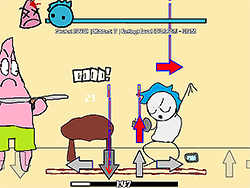
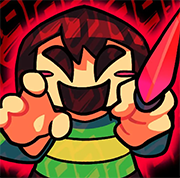
FNF: BF Vs. Bf.exe is a captivating mod for the dearly loved rhythm game Friday Night Funkin' in which Boyfriend faces off against the EXE version of himself from another dimension. Extreme and intense, everything about this confrontation follows a massive soundtrack entitled "Confronting Yourself," which alone blesses the mod with an unusual style and level of difficulty. It's a fan-made mod that puts a new spin on the original by incorporating familiar Friday Night Funkin mechanics with grimmer competitiveness.
How to Play
FNF: BF Vs. Bf.exe is fairly easy to play if you have the timing with the rhythm. It is similar to original Friday Night Funkin' gameplay in that one has to defeat their adversary by hitting the right notes. Here's a fast rundown:
- Be it with a mouse or keyboard, hit those notes as they come down from the screen.
- Timing is everything; miss the note and lose the rhythm.
- Try and hit more notes correctly than EXE version Boyfriend.
Tips & Tricks
Some tips that would help you become proficient with FNF: BF Vs. Bf.exe:
- Practice the song "Confronting Yourself" to get accustomed to its rhythm.
- Disable Ghost Tapping in the settings for a more accurate gameplay experience.
- Use Google Chrome for optimum performance and the smoothest gameplay.
- Stay focused, and don't get disappointed if you don't get it right on your first try.
History
This mod is a testament to the creativity and passion of the Friday Night Funkin' community. It was enacted by some very talented modders showing off their skills:
- Linkstormz is the modder who turned the concept into reality.
- Penguin 123-452 is the cover artist who gave it a very professional touch.
- Saster composed the original song, "Confronting Yourself," which is the very soul of the mod.
- Shadow Mario worked on the actual FNF engine to provide a perfectly smooth experience.
Original Friday Night Funkin' credits include:
- ninja_muffin99 programming.
- PhantomArcade3k and evilsk8r doing the artwork.
- kawaisprite for the music.
Also, thanks to everyone who contributed to the GitHub source.
Play Unblocked
If you encounter difficulties running the EXE files on your computer, no worries! The web-optimized port of FNF: BF Vs. Bf.exe makes the game far more accessible. You can play it from various types of Chromebooks, Macs, and Linux systems. Just remember to opt for Google Chrome while gaming for optimum performance.
Developer
The mod was developed by Linkstormz, a passionate creator who brought this unique take on Friday Night Funkin' to life.
Platforms
FNF: BF Vs. Bf.exe can be played on:
- Web browsers, optimized for Chrome.
- Chromebooks.
- Mac OS.
- Linux.
How To Play Unblocked
The steps you follow to play the unblocked version of FNF: BF Vs. Bf.exe are:
- Open Google Chrome.
- Head to the web-optimized version of the game.
- Follow the instructions on-screen to start playing.
Frequently Asked Questions (FAQs)
- Q: Is FNF: BF Vs. Bf.exe free?
- A: Yes, the mod is completely free to play.
- Q: How can I support the mod creators?
- A: You can subscribe to, follow, like, and engage with the mod creators on social media.
- Q: What settings work best?
- A: For the best experience, turn off Ghost Tapping and play on Google Chrome for optimal performance.
Play FNF: BF Vs. Bf.exe ? on your Mobile

Span the QR Code with your mobile device camera to play FNF: BF Vs. Bf.exe ?
You can enjoy this game on mobile and tablet(such as iPhone, IPad, and Android device)
 FNFunKin















![FNF vs Hex Mod [Full Week] Play FNF vs Hex Mod [Full Week] Now](https://img.crazygames-poki.com/423af2bb94865d99a1fb716e96f9ec21.jpeg)








![Play FNF Weekend 1 [Girlfriend Mix] Now](https://img.crazygames-poki.com/25717c87ab7ee7c90f3da0a3c222e158.jpg)