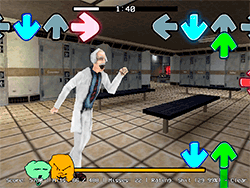
What Is FNF Vs Imposter V4 Monochrome And Triple Trouble?
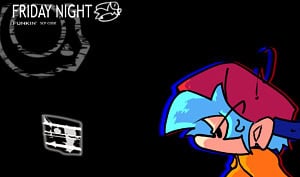
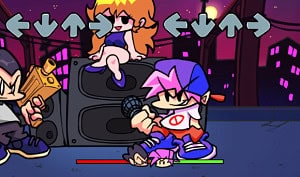
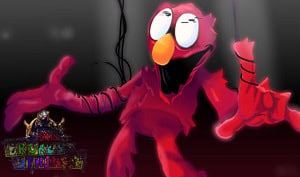
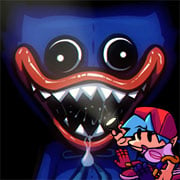
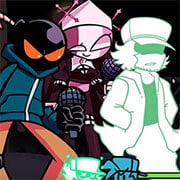
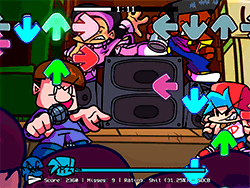
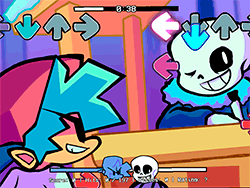
FNF Vs Imposter V4 Monochrome And Triple Trouble is an exciting FNF mod that brings to life two of the most anticipated unused songs from the Imposter v4 mod. This mod features "Triple Trouble" and "Monochrome," with the impostors taking center stage for something of a fresh spin on the rhythm game experience. Any fan of FNF and Imposter series would do well to check out this fine mod for an interesting challenge and some cool impostor-themed gameplay.
How To Play?
FNF: Vs Imposter V4 Monochrome And Triple Trouble play is pretty straightforward if you've played the original FNF games. The main mechanics are unchanged: notes must be followed, keys on your keyboard pressed after that, and you must not miss more than a handful of notes. However, there is now an extra layer of challenge with the impostor gameplay; here, you'll have to be incredibly careful not to get caught while simultaneously being perfect about hitting every note.
Tips & Tricks
- Practice makes perfect: Spend some time getting used to the rhythm and patterns of each song. The more you play, the better you'll become.
- Ghost Tapping: If you are finding yourself struggling, turn on "Ghost Tapping" in the settings, as this will allow you to see note placements and therefore hit them more easily.
- Stay Alert: When tackling impostor songs, keep an eye out for the impostor's movement and behavior. They can be very unpredictable.
- Use The Correct Browser: For maximum performance, Google Chrome is recommended as it guarantees smoother gameplay and overall best experience.
History
A testimony to the true passion for creativity within the FNF community, this mod developed by YoshiMaster114[1], who made the mod playable, builds upon the original Impostor mod created by Clowfoe, Director, Ethan, Doodler, Emi, Mayhew, Aqua, Fabs, Ziffy, Salterino, Rozenbud, Duskie, Punkett, emihead, Saster, Rareblin, Keoni, Fluffyhairs, Mii San, Jads, Loggo, Mayo, Mashprotato, Julien, Neato, Orbyy, Squidboy, Pip, Crocidy, Lay Lasagna, Coti, Elikapika, Farfoxx, Steve, MSG, Gonk, Gibz, Thales, Kal, Monotone doc., and Amongus fan. Shadow Mario and Yoshubs created the game engine, while RiverOaken took charge of artistic and animation direction. The mod pays honor to the original FNF credits of ninja_muffin99 for programming, PhantomArcade3k, and evilsk8r for the art, and kawaisprite for the music.
Play Unblocked
For those who can't run the EXE files or have limited access to PC games, this web-optimized port by KBHGAMES.com is a blessing. It makes FNF and this mod more convenient for Chromebook, Mac, Linux system, and other types of platforms where conventional EXE files might just not work. In any case, be mindful that the web version can have slightly altered mechanics or features missing in comparison with the PC version; if at all possible, try and check out the PC version for the full experience.
Game Developer
This mod is the result of many contributors working in collaboration, and the main roles have been filled by YoshiMaster114, Clowfoe, Director, and many others. Shadow Mario and Yoshubs developed the game engine, which was further brought to life by RiverOaken, the main artist and animator. The original Freaky Night Funkin' game was developed by ninja_muffin99, PhantomArcade3k, evilsk8r, and kawaisprite.
Game Platforms
Being primarily released as a web-optimized version, this mod could primarily be considered for Chromebook, Mac, and Linux systems. Its goal is to be accessible to all, so players could really buzz around the activities with the help of this gaming exposé. Although the PC version gives the most significant experience and extra features and is highly recommended.
FAQ
Can I play this mod on my Chromebook?
Yes, the web-optimized version is designed to be compatible with Chromebooks, making it accessible to a wider range of players.
Is the web version the same as the PC version?
The web version is optimized for accessibility and performance on various platforms but might have slightly different mechanics or missing features when compared to the PC version.
How can I improve my gameplay?
Practice! Spend time getting familiar with the rhythm and patterns, and consider turning on Ghost Tapping if you think it's too difficult. It's also important to stay alert and focused, especially during impostor songs.
Who developed this mod?
This mod was developed within a collaborative effort of numerous contributors, with key roles being filled by YoshiMaster114, Clowfoe, Director, and many others.
What browser should I use to play?
I generally recommend using Google Chrome. It does make for smoother playing, and it will provide you the overall best experience.
Play FNF Vs Imposter V4 Monochrome And Triple Trouble on your Mobile

Span the QR Code with your mobile device camera to play FNF Vs Imposter V4 Monochrome And Triple Trouble
You can enjoy this game on mobile and tablet(such as iPhone, IPad, and Android device)
 FNFunKin












![FNF vs Hex Mod [Full Week] Play FNF vs Hex Mod [Full Week] Now](https://img.crazygames-poki.com/423af2bb94865d99a1fb716e96f9ec21.jpeg)