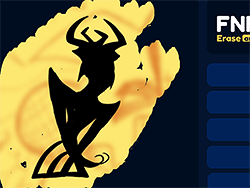
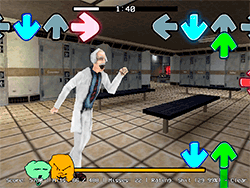
What is FNF Spooky Funks?
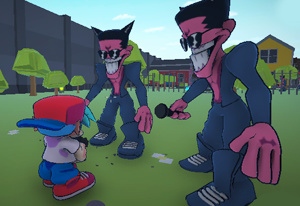
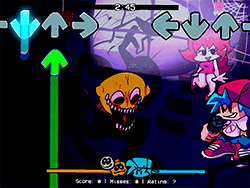
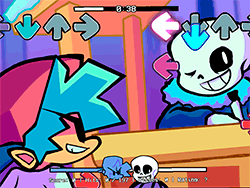
FNF Spooky Funks is a captivating FNF mod, where, in October, Boyfriend is making an unexpected visit to Skids' house for a rap battle, with all too much at stake. There are eerie beats and tough gameplay in this spooky mod, so perfect for lovers of rhythm battles. The mod on FNF is really a wash of creativity from the community that combines the working mechanics of the original with a very scary fun vibe.
How to Play?
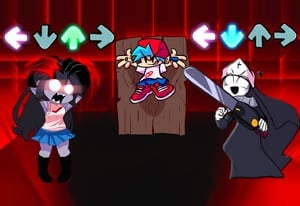
All gameplay styles of this mod remain true to classic FNF. In this mod, you would tap and hold notes on your keyboard, by doing so, matching the melody of your opponent, and performing better than your opponent-a perfect hit on every note avoiding a miss. The mod introduces new songs and characters and a twist to the classic FNF.
Tips & Tricks
- Ghost Tapping: This feature allows you to see where you missed notes, but for a greater challenge, set it off! If you want an extra challenge, I would suggest turning it off in the settings.
- Practice: Putting time into practicing every song will help you get familiar with the rhythm. Repeat and be consistent.
- Relax: A panicked mind might lose the notes. Breathe deeply and get into focus.
History
FNF Spooky Funks is an extension within the bigger family of the FNF modding community, which has been thriving since the original game's release. The mod was created by Carmonplay, who has been a mainstay in the FNF modding realm. Sr Pelo also had a hand in the Spooky Month theme, which helped layer the mod with a more sinister flavor. Screen development becomes a testament of spirit and sharing among the developers, with many contributors on GitHub throwing their hats in the mix.
Play Unblocked
For anyone who cannot access the PC port of FNF Spooky Funks, this meanwhile is a port that is web-optimized. This version makes things go smoothly on Chromebooks, Macs, and Linux systems and different platforms that find it hard to run EXE files. Nonetheless, remember the web version may have a few different mechanics or half of the features of the PC version.
Game Developer
The original FNF was developed by ninja_muffin99 for programming, PhantomArcade3k and evilsk8r for art, and kawaisprite for music. Carmonplay was the person who created the mod, with big input from Sr Pelo and other community members.
Game Platforms
The original FNF resides on PC, while the web-optimized port aids in getting FNF Spooky Funks on very many platforms- somewhat permitting play on Chromebooks, Mac, and Linux distributors. So this extension lets the members of the community enjoy without any hardware hindrances.
How to Play Unblocked?
To get FNF Spooky Funks running on an unblocked platform, you can use the web version hosted on KBHGAMES.com. It is recommended to use the Google Chrome browser for the utmost performance. Remember, good or bad, the web version may not carry all the features of the PC version.
FAQ
Q: Can I play FNF Spooky Funks on my Chromebook?
A: Yes! The port is web-optimized and makes it accessible on Chromebooks, Macs, Linux systems, and more.
Q: Is the web version the same as the PC version?
A: The web version is quite similar to the PC version but has slightly different mechanics or missing features. If you are seeking for the full experience, consider setting time to play the PC version also.
Q: How do I turn off Ghost Tapping?
A: You can set to disable Ghost Tapping via the settings for that choice.
Q: Who created FNF Spooky Funks?
A: The mod was created by Carmonplay, with contributions from Sr Pelo and other community members.
Jam to the beats of the rhythm and just have fun! Whether you're on a powerful PC or a Chromebook, FNF Spooky Funks offers a thrilling and spooky experience for all.
Play FNF Spooky Funks on your Mobile

Span the QR Code with your mobile device camera to play FNF Spooky Funks
You can enjoy this game on mobile and tablet(such as iPhone, IPad, and Android device)
 FNFunKin




























![Play FNF Weekend 1 [Girlfriend Mix] Now](https://img.crazygames-poki.com/25717c87ab7ee7c90f3da0a3c222e158.jpg)