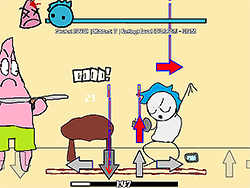
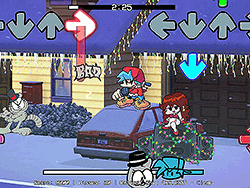
What is FNF Soulles DX: Moonlight (Recreation)?
FNF Soulles DX: Moonlight (Recreation) is a colorful and catchy Friday Night Funkin' fanart mod that produces a unique rendition of the famous "Moonlight" song. Sceno brought together Tails and Boyfriend Sonic while an awfully cute Tails robot assisted in the whirlwind show. The cute graphics and upbeat melody will compel any FNF player looking for a new and fresh spin on FNF to try it.
How to Play
This version is pretty much straightforward if you are able to play FNF. You will be controlling either Tails or Boyfriend to press the notes shown on-screen to their keyboards or controller. Try and hit the notes at the right time to notch up your points to stay in rhythm. The mod contains many different songs, so it's off to another challenge once you've aced one.
Tips & Tricks
- Turn off Ghost Tapping: For newbies, keep this off so you can get the rhythm without the pressure of hitting everything perfectly.
- Practice: As with any rhythm game, practice is the best way to improve. Start with easy songs and then progress onto harder songs.
- Be Relaxed: Never be stressed out if a note is missed; keep playing and enjoying the music!
Origin
FNF Soulles DX: Moonlight (Recreation) comes from the huge FNF mod community where unusual concepts of their own get created by modders like Sceno. The mod became popular due to its interesting gameplay and catchy tune, with many fans falling in favor of the series. It's a star-studded partnership: GoodieBag78 did the sprites, Rareblin did the song, Yasher did the coding, and Bronilo did the chart.
Play Unblocked
If you are having trouble playing FNF Soulles DX: Moonlight (Recreation) on school or work computers, try launching it in Google Chrome, as this browser is often said to be the best for FNF mods.
The Developer of the Game
The developer behind the mod was Sceno, who is commendable for creating the FNF community with his engaging and creative content.
Platforms Game Is Available On
FNF Soulles DX: Moonlight (Recreation) is designed to be played in browsers, which means it will run smoothly on most devices with Internet access.
How to Play Unblocked
Follow the steps below to start playing FNF Soulles DX: Moonlight (Recreation) unblocked:
- Open Google Chrome.
- Head over to your trusted FNF modding website.
- Search "FNF Soulles DX: Moonlight (Recreation)".
- Hit play and enjoy!
Frequently Asked Questions
Q: Is FNF Soulles DX: Moonlight (Recreation) free to play?
A: Yes, this mod is 100% free and it can be accessed on numerous FNF modding websites.
Q: Do I have to download anything first?
A: Not at all. This mod can be played directly in your browser environment without any further installations.
Q: Are there different difficulty levels?
A: The mod consists of multiple songs with varying difficulty levels; it's up to you which ones you'll attempt.
Q: Can I play this with friends?
A: This mod is meant for single players, but you can certainly chuck some friends into the equation as they watch you rock through it or maybe you could challenge each other for real!
Dance your heart out and just have so much fun with FNF Soulles DX: Moonlight (Recreation)!
Play FNF Soulles DX: Moonlight (Recreation) on your Mobile

Span the QR Code with your mobile device camera to play FNF Soulles DX: Moonlight (Recreation)
You can enjoy this game on mobile and tablet(such as iPhone, IPad, and Android device)
 FNFunKin



![Play FNF Tankman Week 7 [HD] Now](https://img.crazygames-poki.com/afafe20b174171344c8324b1b7acba27.jpeg)












![FNF vs Hex Mod [Full Week] Play FNF vs Hex Mod [Full Week] Now](https://img.crazygames-poki.com/423af2bb94865d99a1fb716e96f9ec21.jpeg)