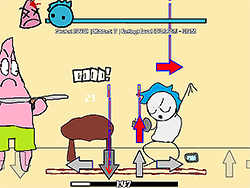
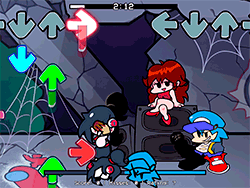
What is FNF Sonic.EXE Hoggy Holidays?
FNF Sonic.EXE Hoggy Holidays is a radiant and festive rhythm mod for the Friday Night Funkin' universe. A snowy Christmas Eve in the game, we have beloved characters of Sonic.EXE joining together in a very eccentric singing competition. Lord X and Majin, both dressed as Santas, compete to see who is the best Santa in town, whilst enduring fun and chaotic battles on music. This mod combines the spirit of Christmas and rhythm gaming against songs like "Santa Singoff," "Special Guest," and "Gift Trap."
How to Play
One of the usual FNF gameplay mechanics is how FNF Sonic.EXE Hoggy Holidays is. You'll have to control your character and tap, hold, or flick notes depending on the rhythm of the music. The idea is to hit most of the notes, as missing too many would lead to a game over. Again, the notes are played with the keyboard; different keys are assigned to different types of notes.
Tips & Tricks
- Practice Makes Perfect: Practice each song over and over while learning its rhythm and pattern.
- Turn Off Ghost Tapping: Ghost Tapping can be disabled for an additional challenge. The normal note hit requires one-time tapping only, increasing difficulty.
- Use the Right Browser: Google Chrome is recommended for the smoothest game experience.
History
FNF Sonic.EXE Hoggy Holidays is a community mod that saw creation through a talented team of developers and artists. The concept originated with LittleGeecko, and SleepyOreo handled the music, while flyplague took care of the animations, and many others also contributed. The project aims to bring wider fans to the FNF genre, especially those who cannot run the traditional EXE files on their respective systems.
Play Unblocked
Being a mod playable on different platforms so students of Chromebooks, Macs, and Linux must always have a check with their school's IT folks if it is OK to play games on the campuses. The web-optimized port hosted by KBHGAMES.com would be very helpful for those on the run unable to use the PC version, although with some differences or missing mechanics vector somewhat on the PC version.
Game Developer
It was ninjamuffin99, PhantomArcade3k and evilsk8r for art, and kawaisprite for music, who originally created FNF, from which this mod draws inspiration. The mod development came from a team consisting of LittleGeecko, SleepyOreo, flyplague, Alicon, Vivaderus, wedgecuts, and ItoSaihara, Shadow Mario, and Yoshubs programmed in the mod, while RiverOaken and bbpanzu created art.
Game Platforms
FNF Sonic.EXE Hoggy Holidays is a mod that can run on multiple platforms, including PC, Chromebook, Mac, and Linux. The web-optimized version by KBHGAMES.com made it even more accessible to the masses, but we highly recommend rolling onto the PC version.
How to Play Unblocked
If you're trying to play FNF Sonic.EXE Hoggy Holidays at school or the office, you might need a web-based version. The KBHGAMES.com port should be good but be aware that it differs a little from the PC version. Another option is to use a or proxy to get to the game, but don't forget to check your local policies before doing so.
FAQ
- Q: Can I play this mod on my phone?
A: The mod was primarily designed for PC and web browsers, but with the help of an emulator, it can be run from a phone.
- Q: Are there any age restrictions?
A: FNF games are generally aimed at all ages, but depending on the mod, there might be some variations in content.
- Q: How can I download the mod?
A: You can download the mod from dependable sources such as the GitHub repository or official FNF mod websites.
- Q: What are the system requirements?
A: The web version is optimized to run on most systems, while the PC version might need a stronger computer.
Play FNF Sonic.EXE Hoggy Holidays on your Mobile

Span the QR Code with your mobile device camera to play FNF Sonic.EXE Hoggy Holidays
You can enjoy this game on mobile and tablet(such as iPhone, IPad, and Android device)
 FNFunKin












![FNF Tankman Week 7 [HD] Play FNF Tankman Week 7 [HD] Now](https://img.crazygames-poki.com/afafe20b174171344c8324b1b7acba27.jpeg)