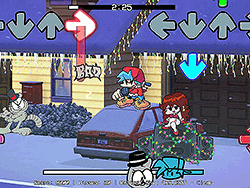
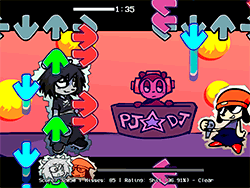
What is FNF GameJoker Playable?
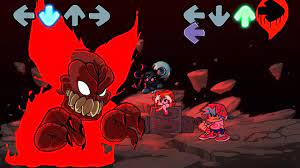
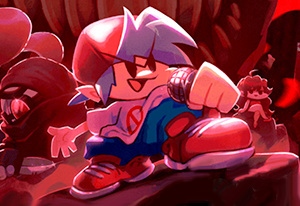
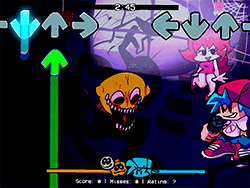
In FNF GameJoker Playable, the usual FNF mod turns even more vibrant and humorous by bringing the iconic "GameJoker" song by Cellocorp to fruition as a fully playable one. Sonic.EXE and Girlfriend shall go head-to-head in a rap battleground, only to find certain sharp taunts from Girlfriend weakening Sonic.EXE instead. This is extremely funny and engaging together with the humorous spirit of the FNF.
How to Play
Playing FNF GameJoker Playable is a simple thing:
- Choose your fighter between Sonic.EXE and Girlfriend.
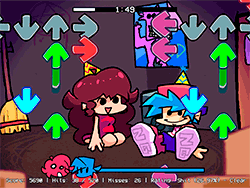
- Follow the screen graphics to press the keys directed to you according to the beat.
- Try to hit every note perfectly to get a high score and win the battle.
The game immerses into each set and is extremely easy to learn for all. The rhythm and reflex playing mechanism tests your workout of the hands, keeping you entertained and engaged always.
Tips and Tricks:
- Practice Makes Perfect: Practice the song to get a feel of the rhythm and timing.
- Turn Off Ghost Tapping: For more challenge, turn off ghost tapping under Settings. Such setting requires you to hit every single note.
- Use the Right Browser: The game runs smoothest on Google Chrome, so make sure this is the browser you use.
History
FNF Game Joker Playable falls in line with the larger FNF modding community where modders like Walter breathe new life into songs and characters. The mod is a testimony to the creativity and tenacity within the community, which uses the original FNF framework to create something entirely new and entertaining.
Play Unblocked
Even though FNF GameJoker Playable is designed for potential play on multiple platforms, including Chromebooks, Macs, and Linux, just be sure to check if the game is unblocked on your school or work computers. This web-enabled port by KBHGAMES.com intends to please players whose devices otherwise would have a hard time dealing with the original EXE files.
Game Developer
The original FNF was created by ninja_muffin99, PhantomArcade3k, and evilsk8r, with music by kawaisprite. Being a mod, it is a collaborative effort of multiple talented individuals.
Game Platforms
FNF GameJoker is playable on many platforms:
- Chrome desktops
- Macs
- Linux
- Windows
- Web browsers (Chrome recommended)
How to Play Unblocked
If you find yourself extending to play FNF GameJoker Playable in environments that restrict it, try any of the following options:
- Try a different browser: A lot of times just going to Google Chrome will bypass the restrictions.
- Request access from the IT department to unblock the game.
- Play on a separate device: If there is any, try playing on another device that is not subjected to the restrictions.
FAQ
Q: Is FNF GameJoker Playable free to play?
A: Yes, the game is completely free to play.
Q: Can I play it on my phone?
A: The game is primarily designed for desktop browsers and may not be optimized for mobile devices.
Q: What are the system requirements?
A: The web-optimized version is designed to run on most modern browsers and operating systems, including Chromebooks, Macs, and Linux.
Q: Is there a PC version available?
A: Yes, there is a PC version available, but it may have different mechanics and missing features compared to the web port. It’s recommended to try both if possible.
Play FNF GameJoker Playable on your Mobile

Span the QR Code with your mobile device camera to play FNF GameJoker Playable
You can enjoy this game on mobile and tablet(such as iPhone, IPad, and Android device)
 FNFunKin










![VS Tricky [Full HD] Play VS Tricky [Full HD] Now](https://img.crazygames-poki.com/68d7692b785bfafea05e7aa5e375c56f.jpg)