FNF: Flashpoint Funkin'
What is FNF: Flashpoint Funkin'?
FNF: Flashpoint Funkin' pays homage to early flash gaming by being a rhythm game and an FNF mod. This mod possesses three new tracks: "Onerous," "Aura," and "Syrup," each having its unique set of beats and catchy melodies. Players must battle and pass three worthy opponents, each inspired by classic flash games, to test their rhythm and reflexes. Hence, for anyone looking for some fun-and-challenge hybrid, this mod is guaranteed to keep the groove flowing, whether you follow FNF or early flash games.
How to Play
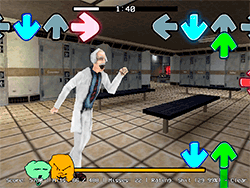
FNF: Flashpoint Funkin' is a rhythm game in which players fight other characters by pressing the arrow keys according to the music. The game is set on a 2D plane, where each correctly hit note earns you points and sends them further towards their defeats. Each level strives harder to seriously test your reaction time and how precise you are. Since this game operates on a turn-based system, you must time your moves accordingly to win.
Tips & Tricks
- Turn off Ghost Tapping: For a greater challenge, go into the settings and disable ghost tapping. You'll need to be ultra-precise as the game won't let you tap one key more than once anymore.
- Google Chrome is the Best: For the best performance, it is recommended that you play the game on Google Chrome to allow smoother gameplay and a more enjoyable experience.
- Practice: Like all rhythm-based games, practice is key in FNF. Give yourself time to sweat each level to really get used to the patterns and beats before moving on.
History
FNF: Flashpoint Funkin' popped out of the Big FNF community and gained popularity through the ever-expanding user-created content series. The mod was developed by a large group of talented developers and artists who wished to bring back nostalgia for early flash games with their own unique twist. The challenging gameplay and catchy tunes that have all made it an FNF must-have.
Play Unblocked
The mod can be played on any system, including Chromebooks, Macs, and Linux systems. But some schools and workplaces might block access to the game on some distributions. Try using a different browser or even a foreign device if possible. The web-optimized port by KBHGAMES.com ensures higher accessibility for FNF and its mods but might slightly differ from the original.
Game Developer
The developers of FNF: Flashpoint Funkin' included a group of passionate creators:
- RiverMusic: Director, Program, and Main musician.
- EthanTheDoodler: Composer of "Syrup" and Cutscene Animator.
- DatDavi: Composer of "Aura" and "Syrup" game over screen.
- Bunger: Main Charter and Voice of Portal.
Game Platforms
It's possible to play the mod on:
- The PC (web-optimized by KBHGAMES.com)
- Chromebooks
- Macs
- Linux systems
How to Play Unblocked
If you're unable to access the game at school or work, try these steps:
- Change Your Browser: Sometimes using Google Chrome allows you to bypass restrictions.
- Play on a Different Device On the off chance that your personal machine is blocked, a friend's would be good enough.
- Check for Updates Ensure you are playing the latest version of the mod since updates tend to address the accessibility issues.
FAQ
Q: What are the three new tracks in FNF: Flashpoint Funkin'?
A: The three new tracks are "Onerous," "Aura," and "Syrup," each with unique beats and challenges.
Q: Who are the three opponents in the game?
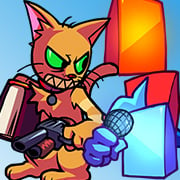
A: The opponents are "The World’s Hardest Game Cube," "The Impossible Game Cube," and "Chris the Cat."
Q: How can I improve my gameplay?
A: Practice regularly, turn off Ghost Tapping, and use Google Chrome for the best performance.
Q: Where can I find the mod?
A: You can download the mod from the official FNF community or the web-optimized version by KBHGAMES.com.
Play FNF: Flashpoint Funkin’ on your Mobile

Span the QR Code with your mobile device camera to play FNF: Flashpoint Funkin’
You can enjoy this game on mobile and tablet(such as iPhone, IPad, and Android device)
 FNFunKin