What Is FNF Brotherly Rivalry! Mario vs Luigi?
FNF Brotherly Rivalry! Mario vs Luigi is a hilarious and heartwarming FNF mod that pits the iconic Mario and Luigi brothers in a musical battle. With inspiration from a catchy tune by octigone, this mod uses the classic Superstar Saga sprites to give a whimsical touch to the familiar FNF style. It is an expression of the modding community's work that took only one or two days to be made, out of love for the series.
How to Play
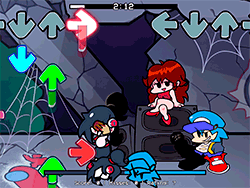
Playing FNF Brotherly Rivalry! Mario vs Luigi is very easy and fun. Players control either Mario or Luigi by tapping and holding from time to time to fill the notes on screen. The goal is to synchronize tapping with the rhythm and timing of each note to earn points and beat out one's own brother by the beat. The challenge tests reflexes and rhythm, but above all, it is about having fun.
Tips & Tricks
- Practice Makes Perfect: Spend some time getting used to the rhythm and timing of the notes.
- Turn Off Ghost Tapping: For a real challenge, disable Ghost Tapping in the settings to ensure you're only hitting the notes you see.
- Stay Focused: Keep your eyes on the notes and your fingers ready to tap!
History
The mod was born out from a simple yet catchy track created by octigone on Twitter, then brought to life by the brilliant modding community. The development went quick, ChaiGuy took up the majority of the mod creating with octigone switching duties for music, and Aspect handled the lead of the project. The mod then shot up to fame for its comedic value and the devotion to the series.
Play Unblocked
The game is supposed to be hosted and played on PC. Still, a side-by-side web version is available, making the game widely accessible on any device, including Chromebooks, Macs, and Linux systems. This version was made by KBHGAMES.com, in order to give smooth gameplay to those that can't execute the EXE files on their computers. This web version might have a few differences in mechanics or be missing some features that might appear in the PC version.
Game Developer
It was developed by a passionate and very cooperative team, including ChaiGuy, octigone, and Aspect. All used their individual talents to bring this entertaining mod to life.
Game Platforms
- PC (EXE version)
- Web (optimized for Chromebooks, Macs, Linux)
How to Play Unblocked
Just go to the website hosting FNF Brotherly Rivalry! Mario vs Luigi mod to launch the web version. Using Google Chrome is advised to have a smooth performance. Enjoy every beat!
FAQ
Q: Can I play this mod on my laptop?
A: Yes! The web version is optimized for Chromebooks, Macs, and Linux systems.
Q: Is the web version the same as the PC version?
A: It might have slight differences or missing mechanics, so the PC version is recommended for the full experience.
Q: How do I turn off Ghost Tapping?
A: You can adjust the settings in the game to disable Ghost Tapping for a greater challenge.
Play FNF Brotherly Rivalry! Mario Vs Luigi on your Mobile

Span the QR Code with your mobile device camera to play FNF Brotherly Rivalry! Mario Vs Luigi
You can enjoy this game on mobile and tablet(such as iPhone, IPad, and Android device)
 FNFunKin