FNF Boyfriend Plays Rush-E (on Piano)
What is FNF Boyfriend Plays Rush-E (on Piano)?
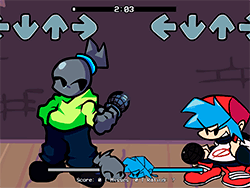
FNF: Boyfriend Plays Rush-E (on Piano) is a colorful and extraordinary fun mod of Friday Night Funkin'. This unique twist has Boyfriend taking center stage to perfectly display his piano skills. The mod features the energetic and catchy tune of "Rush-E," providing a musical spectacle that is nevertheless challenging and entertaining. If you are a fan of the original game or just love to see a good piano performance, this mod will serve as a refreshing and interesting experience.
How to Play
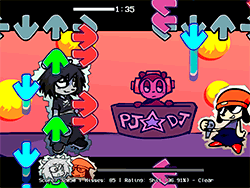
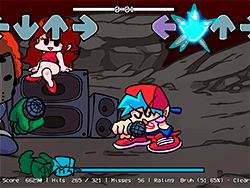
Playing FNF: Boyfriend Plays Rush-E (on Piano) is straightforward if you know your way around the original Friday Night Funkin' games. The gameplay consists of tapping the screen to the music to match the movements of the Boyfriend. You must hit the notes correctly to score points and advance through the song. The mod is intentionally simple, so new and advanced players can both enjoy it.
Useful Tips & Tricks
- Practice Makes Perfect: As with most rhythm games, practice is paramount. Start playing on lower difficulties to get accustomed to the rhythm before going on to harder levels.
- Turn Off Ghost Tapping: For an additional challenge, disable Ghost Tapping in the settings. It'll make the game's difficulty increase but make it all the more rewarding.
- Maintain Concentration: Keep your eyes on the notes as your fingers tap away. Concentration is key to executing well.
- Use the Best Browser: For an optimum experience, one is advised to play the mod on Google Chrome. This should guarantee the smoothest gameplay and the best overall experience.
History
Boyfriend Plays Rush-E (on Piano) is a tribute to creativity and love by the FNF community. Talented folks who love the game want to bring new experiences to the player. This mod became popular by offering a completely different viewpoint to the original game so that a fresh perspective can be given to the music and rhythm of FNF.
Play Unblocked
The game becomes available to play directly in your browser if you are blocked from playing the PC version in school or at work! Through KBHGAMES.com, this web-optimized port of FNF: Boyfriend Plays Rush-E (on Piano) ensures that you can play anytime and anywhere. Designed for accessibility across a variety of platforms ranging from Chromebook to Mac and Linux systems, this port makes it easier than ever for one to enjoy this mod.
Game Developer
Original Friday Night Funkin' development was a group effort led by some primary contributors:
- ninja_muffin99: Programming
- PhantomArcade3k and evilsk8r: Art
- kawaisprite: Music
The creators of the mod:
- GrayUwU: Animator and Charter
- Sheet Music Boss: Created the song
Game Platforms
While the original FNF is predominantly for PCs, the web-optimized port by KBHGAMES.com makes it accessible virtually anywhere.
- PC: The original game and the mod can also be played on Windows, Mac, and Linux.
- Chromebooks: The web version guarantees an uninterrupted gaming experience for Chromebooks.
- Mobile Devices: Some builds of FNF are offered on mobile platforms, meaning you can enjoy the game away from your desktop.
How to Play Unblocked
To play an unblocked version of FNF: Boyfriend Plays Rush-E (on Piano), all you need to do is access the web-optimized version on KBHGAMES.com. The game has been designed to run properly in any modern web browser; thus, meeting any issues concerning the smooth running of the game should not occur. Using Google Chrome will yield the best performance.
FAQ
Q: Can I play this mod on my phone?
A: The original FNF comes with mobile versions, but the port by KBHGAMES.com was primarily designed for desktop browsers. You can access it via a phone browser as well, but a bigger screen might provide for a better experience.
Q: Is the web version the same as the PC version?
A: The web version is very much akin to the PC version, with some probably slightly different mechanics or features left out. For the full experience, it is recommended to take a shot at the PC version whenever you get the chance.
Q: How can I support the mod creators?
A: Support can be shown by following the creators on the various social media platforms so that you can stay updated on all changes and news regarding the mod. They sometimes also update the information about other projects they are working on.
Q: What are some good tips for playing the game?
A: Practice, turn off Ghost Tapping for a higher challenge, stay focused on the notes, and use Google Chrome for best performance. This will help you to hone your skills and enjoy the game even more.
Play FNF: Boyfriend Plays Rush-E (on Piano) on your Mobile

Span the QR Code with your mobile device camera to play FNF: Boyfriend Plays Rush-E (on Piano)
You can enjoy this game on mobile and tablet(such as iPhone, IPad, and Android device)
 FNFunKin














![FNF Tankman Week 7 [HD] Play FNF Tankman Week 7 [HD] Now](https://img.crazygames-poki.com/afafe20b174171344c8324b1b7acba27.jpeg)



![FNF vs Hex Mod [Full Week] Play FNF vs Hex Mod [Full Week] Now](https://img.crazygames-poki.com/423af2bb94865d99a1fb716e96f9ec21.jpeg)